
Features
Explore the main features and other smart project features.
Template-based project sites
Choose a template suited to your project to create project sites and Teams groups.
Projects can be created directly from ERP systems such as Dynamics, or by filling in a form. Each project site is created from a selection of templates tailored to your needs. When projects are created automatically, templates can be chosen based on project data such as company or department.
A template includes many different elements, such as the project’s home page in SharePoint, folder structure, apps, phase selection and menu. You can also choose whether a Teams group should be created automatically for each project, with tabs and applications ready set up.
Central project hub
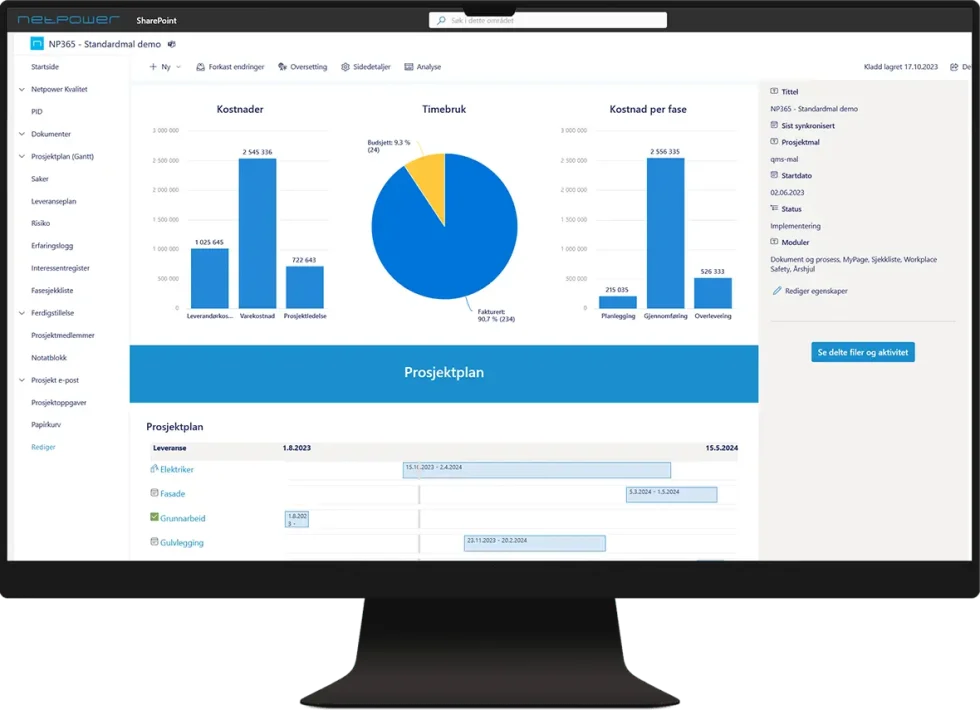
Get the full overview of your projects with synchronised data and dashboards.
The project hub collects data from your projects and keeps a running overall view. You can visualise progress and status in your own dashboards and share reports with others.
Our own web parts remove unnecessary information from the overviews and make it easy for employees to find their own projects based on membership.
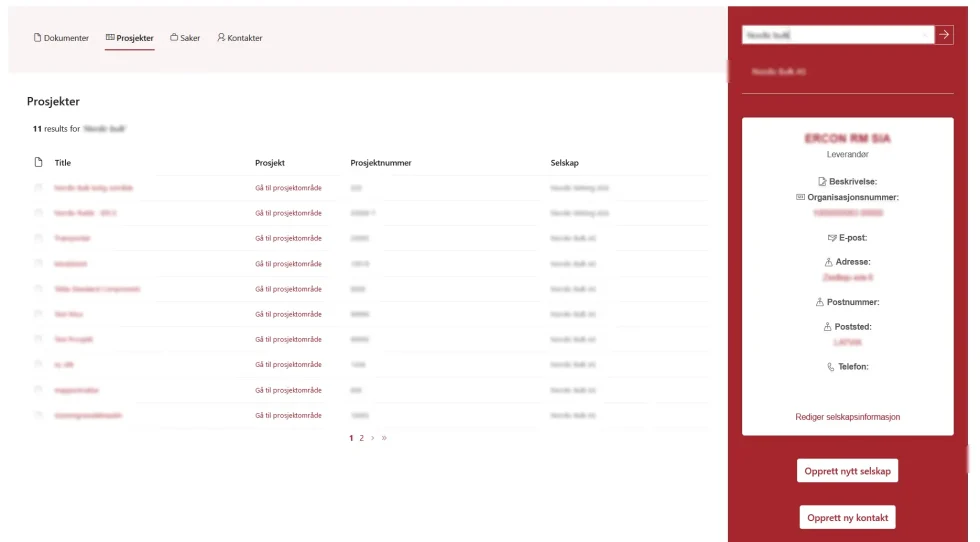
We also offer a streamlined customer and supplier overview that makes it easy to find company documents, projects, cases and contacts in one and the same interface.
Enhanced document management
Full control of documents and templates with a central template archive, approval flows and a standardised document structure
SharePoint shines when it comes to document management, and we have made it even better! With our new interfaces we have made it easier to work with document information and metadata.
Our central template archive offers automatic creation of documents and makes it easy to pick the documents the project needs.
With tailored approval flows it is easy to keep control of versions and history for the project’s working documents. Established signing solutions such as AdobeSign and DocuSign can also be used. Read more about digital signing here.
We have also made it possible to view and break down BIM models.
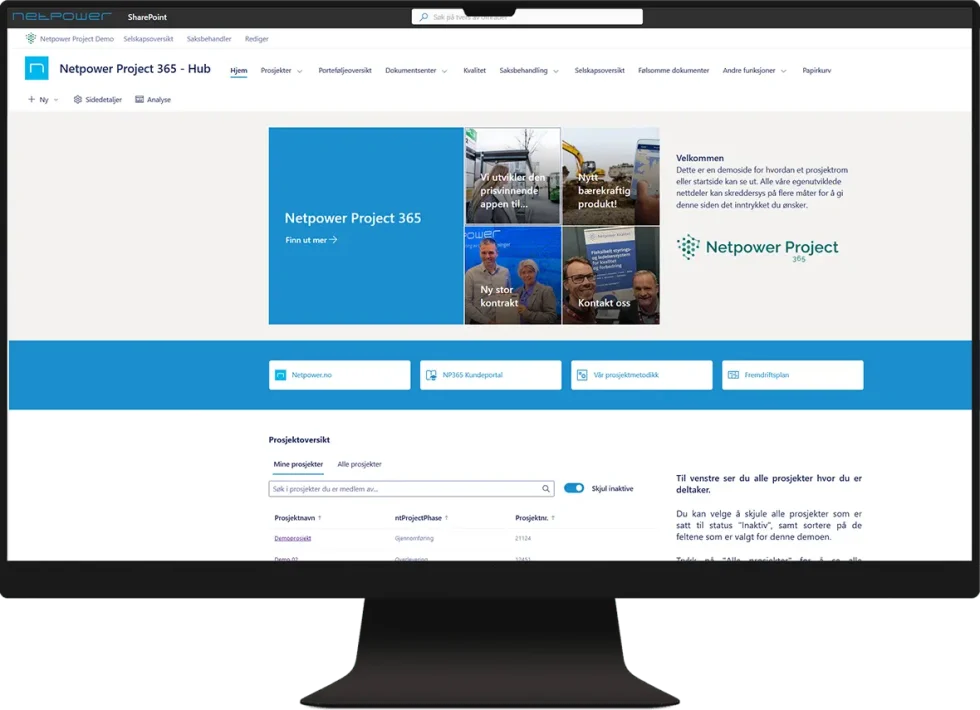
Central lessons-learned log
Collect all lessons learned from your projects in an automatically centralised log.
Learn from experience in line with PRINCE2. Projects that keep their own lessons-learned log can share selected lessons to the shared register with a single click. Logged lessons can be exported by year, quarter, unit or business area.
Project plan
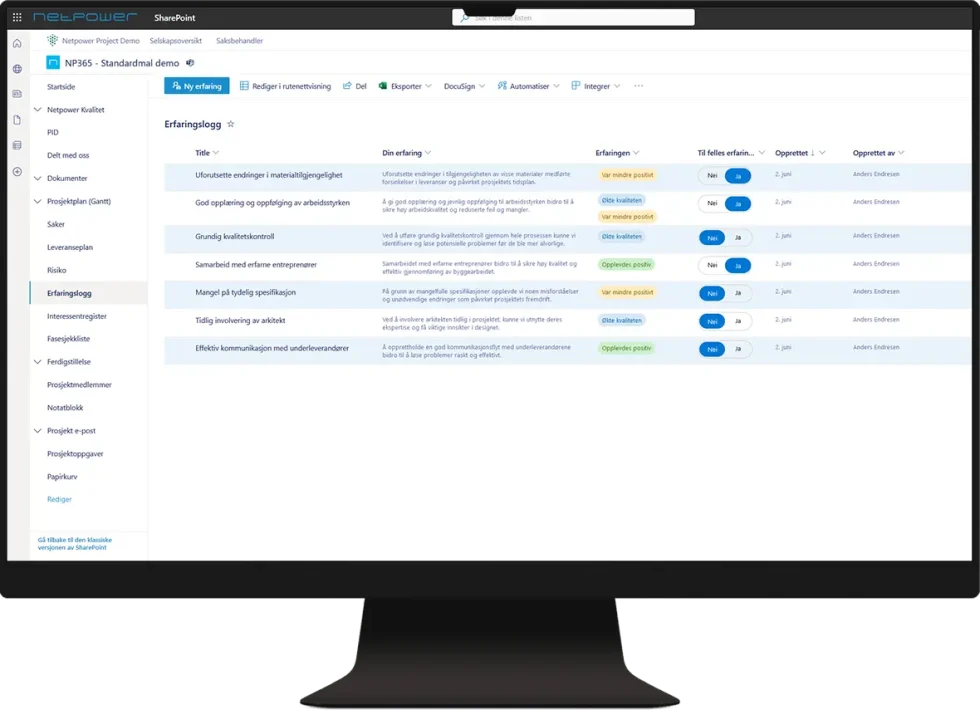
Break down and visualise the deliverables with an instant Gantt chart view.
Use our project plan to create a high-level plan you can share with project participants. Add items, edit in a grid and share with an automatically generated Gantt view.
The project plan can be broken down further into sub-deliverables or tasks with attachments and owners.
Task management
Delegate tasks directly in Microsoft Planner and Project on PC and mobile.
Microsoft is merging MS Project (Project for the web) and Planner (Tasks for Planner).
Project 365 is ready for this and creates a new task board for every project. Project managers can assign and manage tasks for participants with automatic notification, deadline and display in the employees’ task app (To Do).
Case management
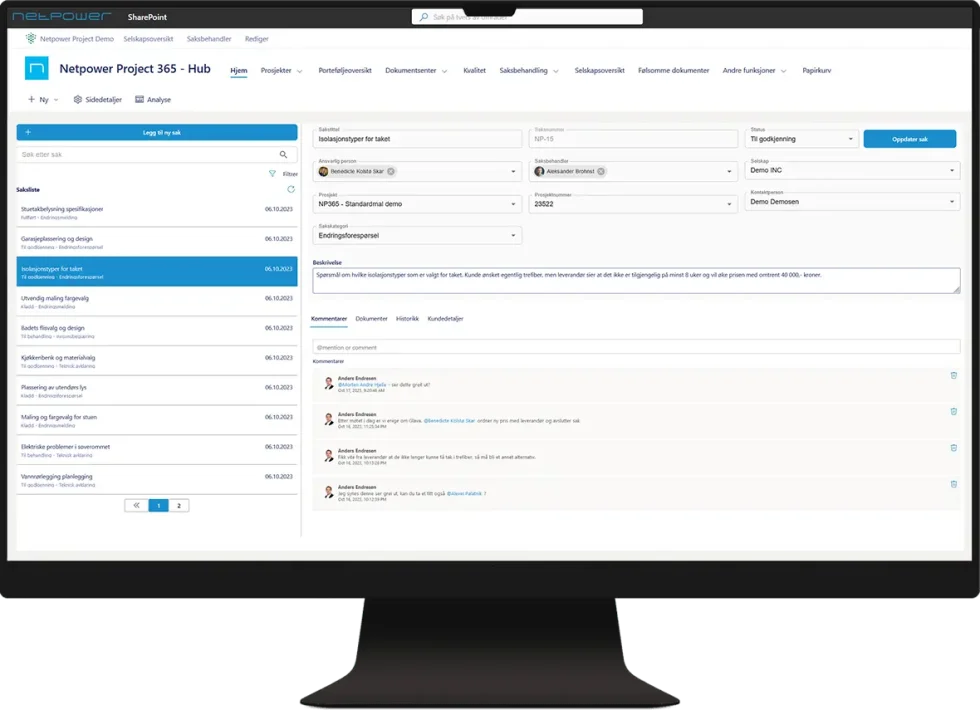
Use our unique case system to handle changes, requests or clarifications.
Project 365 comes with a fully integrated case system with a wide range of options and high flexibility. Create change notices, requests, clarifications, requests for access to documents and more, with systematic access control, delegation, document management and history.
Cases can be delegated to users or groups, who can then chat together in Teams and update their cases both from the browser and from Teams.
HSE and quality
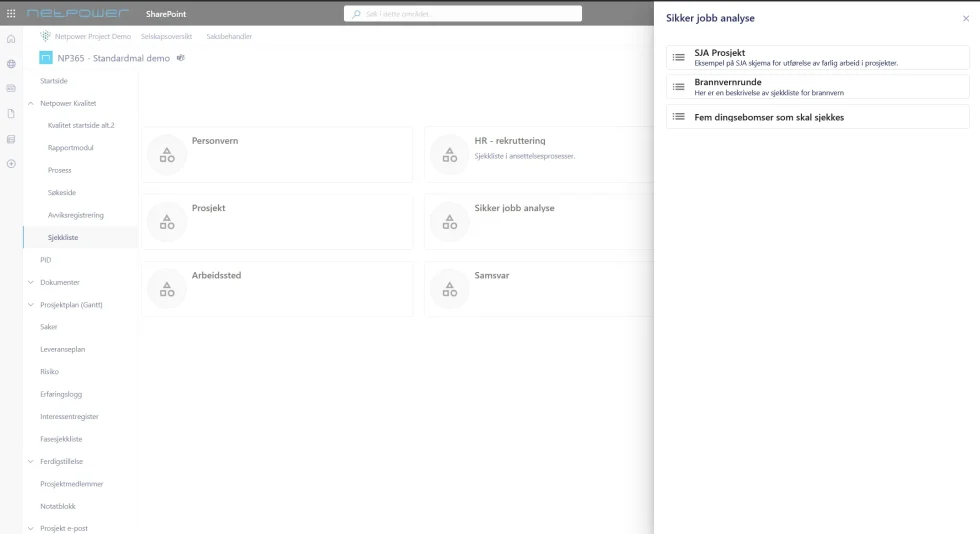
Access processes, governing documents, non-conformance reporting and checklists without leaving SharePoint.
Project 365 comes fully integrated with modules from one of Norway’s most established quality management systems. Checklists and non-conformances are linked to the project, and tailored web parts show relevant, project-specific notifications.
Employees can carry out their HSEQ tasks directly on the project pages, and your organisation gets a platform for establishing and implementing a complete quality system that meets the requirements of the ISO 9001 standard.
Other features in Project 365
This is a selection of other features that are also part of the solution.
Access control made easy
SharePoint offers several ways of sharing data and documents, but access control can at times be hard to navigate.
Our own project access web part gives you a quick and simple overview of permissions, while keeping your data safe.
Company register and overview
Look up a company and find all related documents, projects, cases and contacts in one and the same window.
Document classification
Use the strengths of document classification and stay compliant with current security requirements.
Project 365 supports automatic labelling and encryption of sensitive documents and sites. Our central overview gives a user-friendly view of all sensitive information across your projects.
Digital signing
Project 365 comes with its own approval flows, which are easy to adapt to your organisation’s needs. Both DocuSign and AdobeSign can also be used directly in the interface.
Phase management
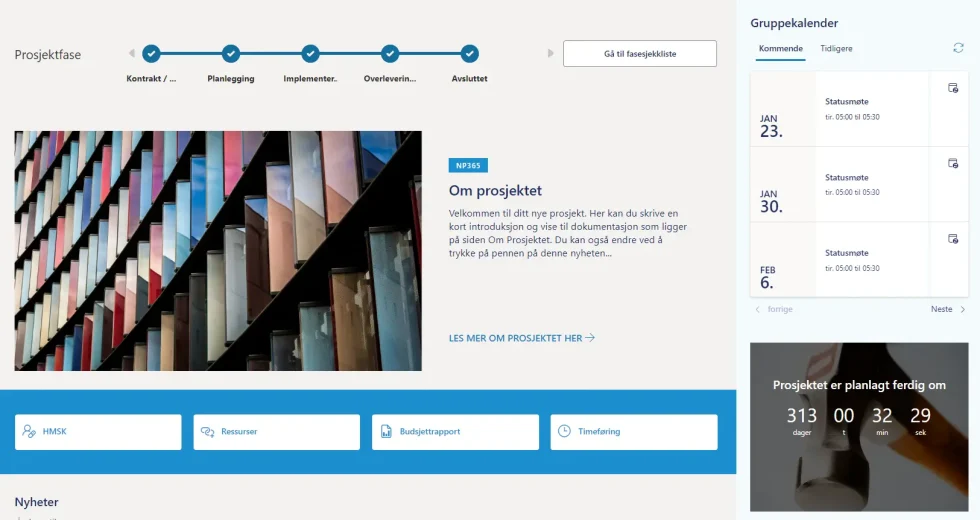
Manage phase checklists in a central register. Checklists are added when the project is created and switch automatically when the relevant checklist is completed.
All users get a clear, interactive visualisation of the project phases on the start page in our own web part.
Risk management
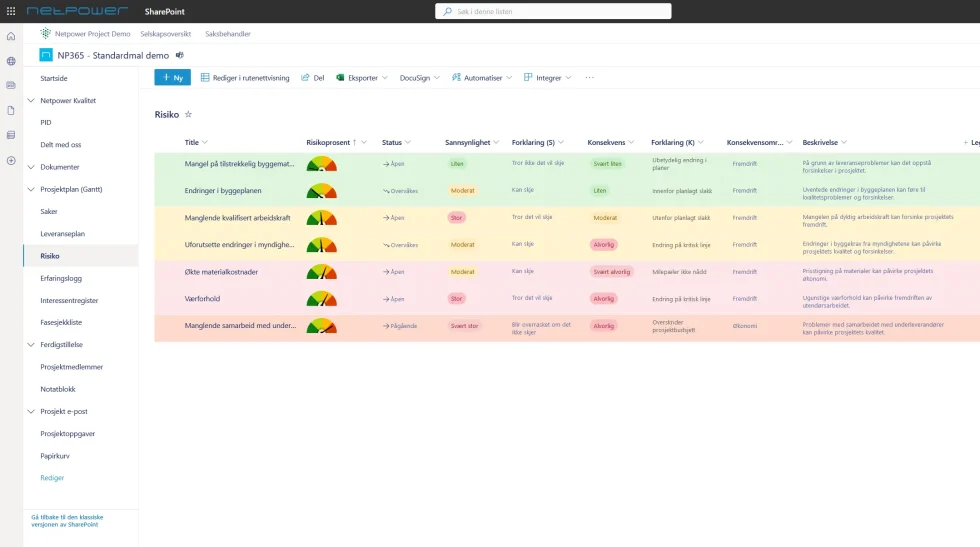
Manage and visualise project risk directly in the interface, for everyone or only for selected project participants. Risk assessment is available through our web part, presented graphically in a classic risk matrix. For more advanced risk analysis and management, we can integrate with our own risk module.
Competence register
Keep track of certificates, competence and the availability of competence with our competence register.
Equipment list
Keep track of equipment, location and certification/calibration with our equipment list. Allocate equipment and tools to projects and plan availability.
Time registration
Beta feature! Our unique time registration app lets you collect hours from both internal and external project participants. The hours are available directly in the solution and can be visualised for each project.
Checklists
Fill in your tailored checklists directly in the project management tool in SharePoint.
Non-conformance management
Register project-specific non-conformances directly in the project management tool in SharePoint, and receive user- and person-specific notifications for follow-up.
HSE handbook
Search and read the HSE handbook directly without leaving SharePoint.
Reading lists
See notifications for reading lists and acknowledge changes in one and the same place.
Job safety analysis (JSA)
Carry out a JSA directly in our own web part.